Not JUST an "IT Problem" in Radiology IT
In Radiology, an “IT Problem” Is Rarely Just an IT Problem
Why radiology IT support requires an understanding of the entire reading workflow
A radiologist cannot open a study or complete a report.
On the surface, that sounds like a straightforward IT ticket. In reality, it may be the first visible sign of a problem anywhere along a complex chain of connected systems.
Is the study missing from the worklist? Did the images transfer to PACS correctly? Is there a network or remote-access issue? Is the diagnostic workstation functioning properly? Is the reporting or voice-recognition application unavailable? Or is the problem somewhere between systems managed by different vendors?
Any one of these issues can interrupt the reading workflow.
The problem may begin far from the workstation
A radiology reading environment depends on many pieces working together. Images must move from the modality to PACS. Patient and order information must pass through the RIS or electronic health record. The study must appear on the correct worklist. The radiologist must be able to access it locally or remotely, view it on properly functioning diagnostic displays, and complete the report through the appropriate application.
A failure at any point can look like a workstation issue, even when the workstation itself is working exactly as it should.
For example, a radiologist may report that a study is missing. The true cause could be an interface delay, incorrect patient information, a routing rule, a failed image transfer, a worklist filter, or a problem with the originating facility. Replacing hardware or restarting an application will not solve the issue if the breakdown occurred earlier in the workflow.
This is why effective troubleshooting begins with understanding the path the study is supposed to take, not simply the device where the problem became visible.
Radiology environments are highly interconnected
General IT knowledge remains essential in radiology. Networks, servers, security controls, user accounts, remote access, backups, and endpoint management all matter.
...But radiology adds another layer: specialized clinical systems that must exchange information reliably and quickly.
A typical environment may involve:
PACS, RIS and electronic health record integrations
Imaging modalities and DICOM routing
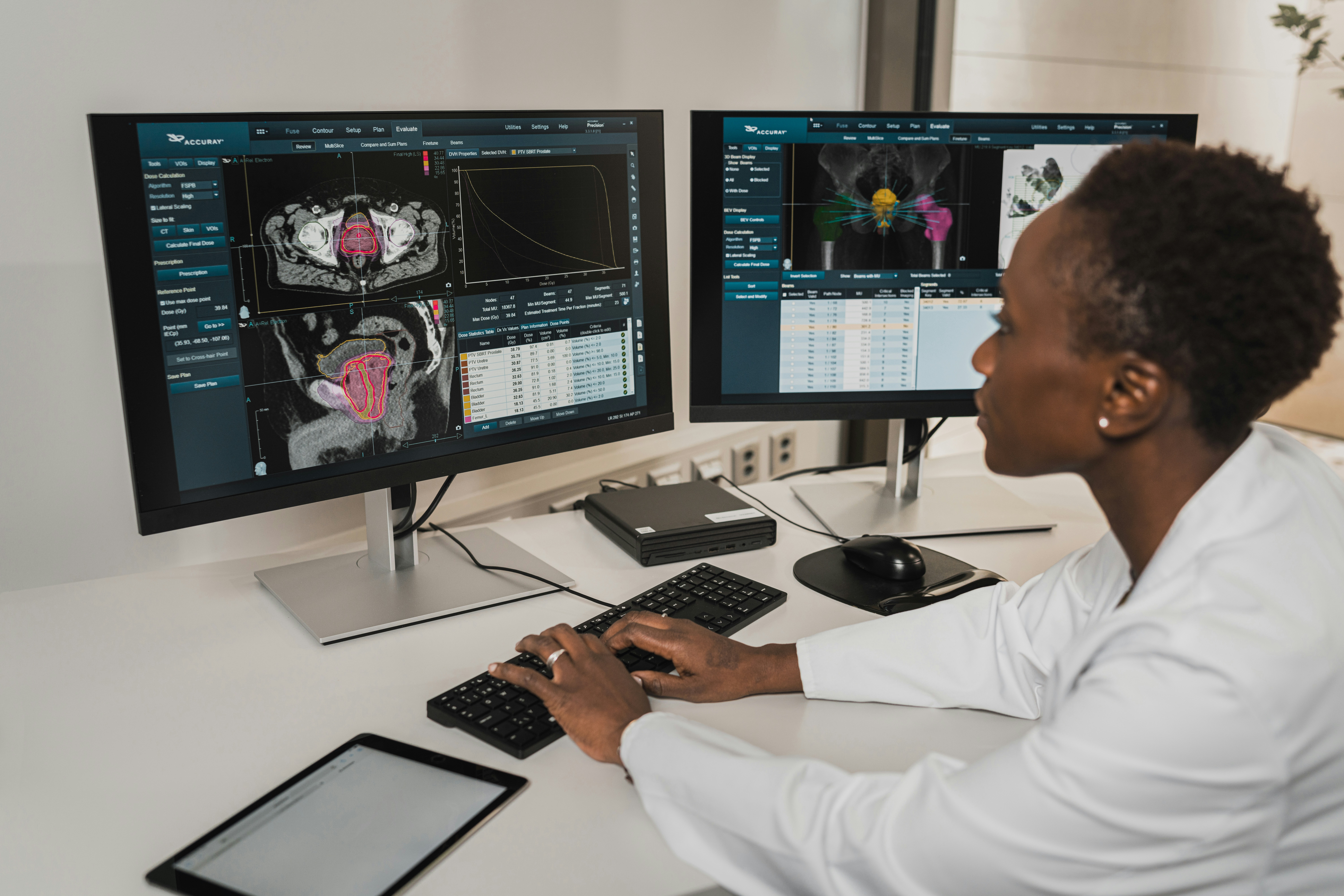
Diagnostic workstations and medical-grade displays
Voice-recognition and reporting applications
Remote reading access and secure connectivity
Multiple hospitals, imaging centers, or reading locations
Vendor-managed applications, interfaces, and support agreements
...and while each component may work well on its own ... COMMUNICATION between components can fail. That is where troubleshooting becomes especially difficult. The network provider may confirm connectivity, the PACS vendor may confirm its application is online, and the workstation vendor may confirm the device is functioning. Yet the radiologist still cannot read the study.
Someone has to look across the entire workflow, identify where the handoff failed, and coordinate the right people to correct it.
Vendor coordination is part of radiology IT
Radiology organizations often depend on several specialized vendors. That is normal, but it can create uncertainty when an issue crosses system boundaries. Each vendor may have access to only one portion of the environment, and each may reasonably conclude that its own system is operating correctly.
Without someone who understands the full environment, the organization can lose valuable time moving between support desks and repeating the same information. Meanwhile, studies continue to wait and reading capacity is affected.
Strong radiology IT support includes knowing which vendor owns which system, what information that vendor will need, and how to keep the issue moving toward resolution. The goal is not simply to open a ticket. It is to connect the technical details across vendors and maintain accountability until the workflow is restored.
Downtime has a clinical and operational impact
In many businesses, a technology issue is inconvenient. In radiology, it can directly affect turnaround times, physician communication, scheduling, and patient care. Even a small recurring issue can create a significant burden when it affects multiple radiologists or interrupts a high-volume reading environment.
That makes prevention just as important as response. Proactive monitoring, hardware lifecycle planning, cybersecurity, reliable remote access, and clear escalation procedures all reduce the likelihood that a technical weakness will become a clinical disruption.
Support should fit the organization
At Xodus, our role depends on what each organization needs. We may manage the entire IT environment, support an internal IT department, administer specialized radiology applications, strengthen cybersecurity, or supply and maintain diagnostic workstations and displays.
The scope can be broad or highly specific. What matters is that responsibilities are clear and that someone understands how the pieces affect the radiologist’s ability to work.
Radiology technology should support the reading workflow, not become another obstacle within it. Accomplishing that requires more than fixing computers. It requires understanding how the network, PACS, RIS, workstations, displays, reporting applications, interfaces, and vendors work together, and knowing where to look when that workflow breaks down.
The scope may change, but the goal does not: keep technology from becoming an obstacle to patient care. |

Schedule an Appointment
Call us at (888) 607-2414 or complete the form below and we'll help in any way we can.
Featured Posts
Not JUST an "IT Problem" in Radiology IT
In Radiology, an “IT Problem” Is Rarely Just an IT Problem
Why radiology IT support requires an understanding of the entire reading workflow
A radiologist cannot open a study or complete a report.
On the surface, that sounds like a straightforward IT ticket. In reality, it may be the first visible sign of a problem anywhere along a complex chain of connected systems.
Is the study missing from the worklist? Did the images transfer to PACS correctly? Is there a network or remote-access issue? Is the diagnostic workstation functioning properly? Is the reporting or voice-recognition application unavailable? Or is the problem somewhere between systems managed by different vendors?
Any one of these issues can interrupt the reading workflow.
The problem may begin far from the workstation
A radiology reading environment depends on many pieces working together. Images must move from the modality to PACS. Patient and order information must pass through the RIS or electronic health record. The study must appear on the correct worklist. The radiologist must be able to access it locally or remotely, view it on properly functioning diagnostic displays, and complete the report through the appropriate application.
A failure at any point can look like a workstation issue, even when the workstation itself is working exactly as it should.
For example, a radiologist may report that a study is missing. The true cause could be an interface delay, incorrect patient information, a routing rule, a failed image transfer, a worklist filter, or a problem with the originating facility. Replacing hardware or restarting an application will not solve the issue if the breakdown occurred earlier in the workflow.
This is why effective troubleshooting begins with understanding the path the study is supposed to take, not simply the device where the problem became visible.
Radiology environments are highly interconnected
General IT knowledge remains essential in radiology. Networks, servers, security controls, user accounts, remote access, backups, and endpoint management all matter.
...But radiology adds another layer: specialized clinical systems that must exchange information reliably and quickly.
A typical environment may involve:
PACS, RIS and electronic health record integrations
Imaging modalities and DICOM routing
Diagnostic workstations and medical-grade displays
Voice-recognition and reporting applications
Remote reading access and secure connectivity
Multiple hospitals, imaging centers, or reading locations
Vendor-managed applications, interfaces, and support agreements
...and while each component may work well on its own ... COMMUNICATION between components can fail. That is where troubleshooting becomes especially difficult. The network provider may confirm connectivity, the PACS vendor may confirm its application is online, and the workstation vendor may confirm the device is functioning. Yet the radiologist still cannot read the study.
Someone has to look across the entire workflow, identify where the handoff failed, and coordinate the right people to correct it.
Vendor coordination is part of radiology IT
Radiology organizations often depend on several specialized vendors. That is normal, but it can create uncertainty when an issue crosses system boundaries. Each vendor may have access to only one portion of the environment, and each may reasonably conclude that its own system is operating correctly.
Without someone who understands the full environment, the organization can lose valuable time moving between support desks and repeating the same information. Meanwhile, studies continue to wait and reading capacity is affected.
Strong radiology IT support includes knowing which vendor owns which system, what information that vendor will need, and how to keep the issue moving toward resolution. The goal is not simply to open a ticket. It is to connect the technical details across vendors and maintain accountability until the workflow is restored.
Downtime has a clinical and operational impact
In many businesses, a technology issue is inconvenient. In radiology, it can directly affect turnaround times, physician communication, scheduling, and patient care. Even a small recurring issue can create a significant burden when it affects multiple radiologists or interrupts a high-volume reading environment.
That makes prevention just as important as response. Proactive monitoring, hardware lifecycle planning, cybersecurity, reliable remote access, and clear escalation procedures all reduce the likelihood that a technical weakness will become a clinical disruption.
Support should fit the organization
At Xodus, our role depends on what each organization needs. We may manage the entire IT environment, support an internal IT department, administer specialized radiology applications, strengthen cybersecurity, or supply and maintain diagnostic workstations and displays.
The scope can be broad or highly specific. What matters is that responsibilities are clear and that someone understands how the pieces affect the radiologist’s ability to work.
Radiology technology should support the reading workflow, not become another obstacle within it. Accomplishing that requires more than fixing computers. It requires understanding how the network, PACS, RIS, workstations, displays, reporting applications, interfaces, and vendors work together, and knowing where to look when that workflow breaks down.
The scope may change, but the goal does not: keep technology from becoming an obstacle to patient care. |
© Copyright 2026 Xodus Healthcare Technology Group. All Rights Reserved. Built with Tech Pro Marketing. | Privacy Policy